The internet drops. Billing carries on.
Counter bills are saved on the device and sent when you're back online, without counting any bill twice. Running table orders need a connection.
La Café runs your counter, tables and kitchen by day. Overnight, it checks your sales and stock, and shows what to order and what is leaking.
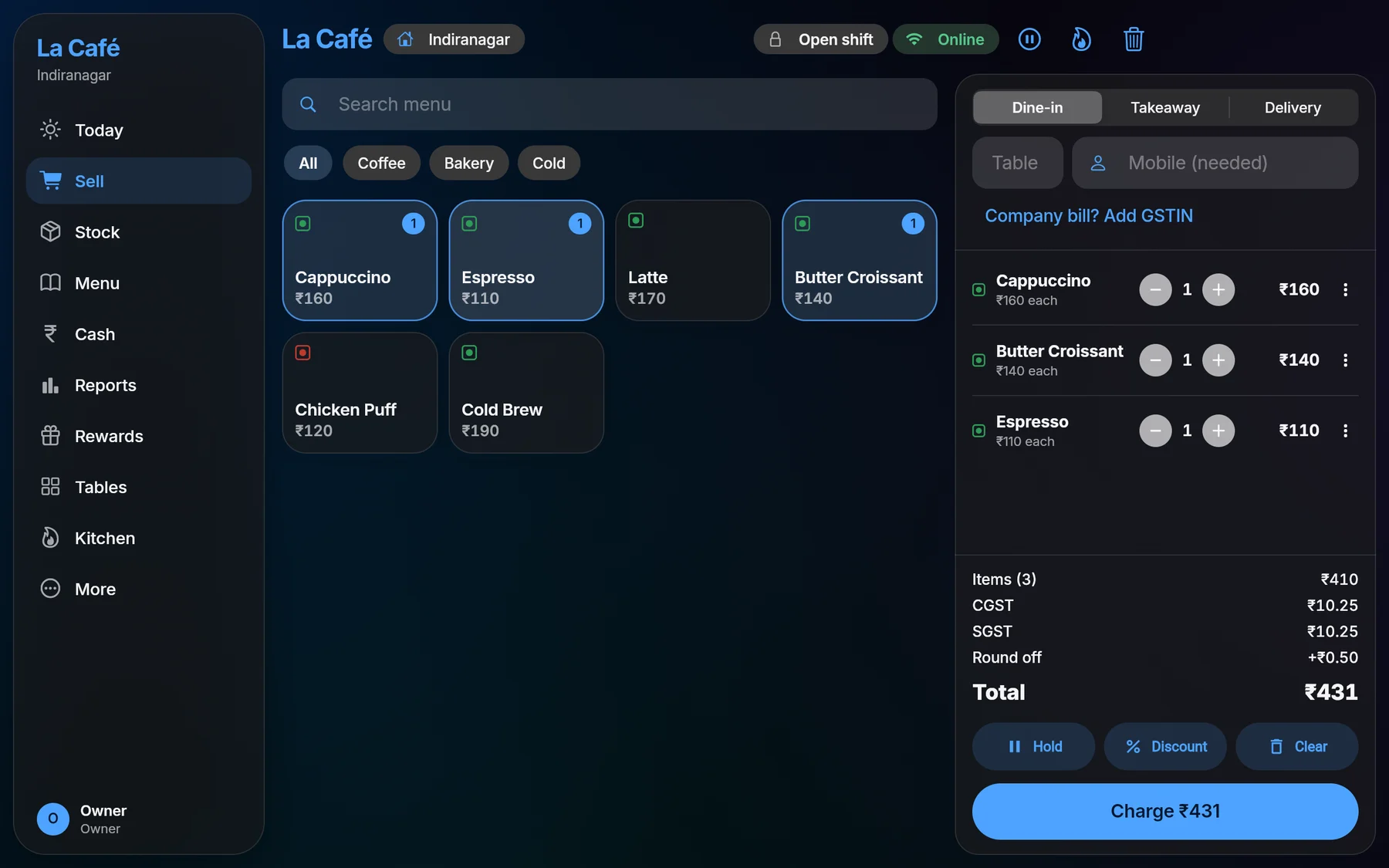
Tap an item to start the bill
Choose the cash received to see the change
This till works, so try it. Demo prices and recipes; nothing is saved or sent.
Clear screens, shown here in dark mode. They run in a tablet, desktop or phone browser, in light or dark.
While the café is shut, La Café studies your completed days. In the morning, the list of what needs you is ready. You can also tap Refresh now.
The analysis starts once there are 14 days of sales history. Billing, stock and reports work from day one.
It forecasts daily use from the last 8 weeks, then allows for your supplier's delivery time.
Staff log what was thrown away and why, so the advice fits the cause.
Blind stock counts hide the expected figure until the shelf has been counted. Real differences feed the leak checks.
Figures shown are examples, not a promise of results.
These are statistical checks on your own records. They work without the AI assistant, and put a rupee figure on what they find.
Compares what your sales should have used with what your counts say is gone.
Looks for discounting that stands out from how others bill.
Compares each person’s cancelled bills with their colleagues’ rate.
Spots complimentary items given far more often than usual.
Notices when what you pay a supplier keeps climbing.
Flags waste well above normal and uses the logged reason in its advice.
Finds in-house preparations that keep making less than the recipe should.
A finding is a reason to look, not proof that anyone did wrong. You can mark it as seen or dismiss it.
The optional AI assistant looks up your own figures to answer in plain words, in English, Hindi, Tamil, Telugu, Malayalam or Kannada.*
Illustration with sample data, not live AI
*Growth and Pro plans. Needs the AI service connected on the server, and has a daily use limit. AI can be wrong, so check before you act.
Counter bills are saved on the device and sent when you're back online, without counting any bill twice. Running table orders need a connection.
Add items in rounds, split the bill, move or join tables. The kitchen screen beeps for new orders and prints tickets.
Growth and ProPoints, levels and referrals, with your rules. A new customer is saved only with their permission.
Above your limit, a discount or free item needs a manager's PIN. Cancelled bills and returns leave a record, and each shift ends with a counted cash drawer.
GSTIN and HSN codes on bills. Sales register, GST by rate, HSN, returns and purchase spreadsheets on Growth and Pro.
Sign-in, billing, payment, tables and kitchen come in six languages. Owner reports and setup screens are mainly in English.
₹168
Protecting your accounts, your records and your cash drawer.
Stored using argon2id, not as readable text.
Only a hash of each sign-in token is stored. Deactivating staff or changing their PIN signs them out.
5 wrong tries bring a 15-minute lock. Repeated tries from one network address are throttled too.
The server limits data to your business, and branch staff to their branch.
Owner, manager, cashier, kitchen and accountant each get their own permissions.
The hosted setup uses HTTPS and takes a compressed database backup each night.
Discounts and free items above your limit need a manager’s PIN, checked by the server.
Spending points needs the customer’s code or a manager’s PIN. Sending codes needs an SMS service.
The server records the signed-in cashier on bills. Owners can review the activity trail.
Then choose the plan that fits your café. Prices are per month.
₹499 / month
1 branch, up to 3 staff
₹1,499 / month
Up to 3 branches and 15 staff
₹3,499 / month
Unlimited branches and staff
*AI, the daily summary and sending from the app need their connected services to be set up. You can share a bill on WhatsApp yourself without that.
You get 7 more days to choose a plan. After that, billing, orders and edits pause until you do. You can still sign in, look at your data and choose a plan.
No. It stays off unless the owner turns it on. Billing, stock, reports and the seven leak checks don’t depend on it. The leak checks need 14 days of sales history.
La Café runs in a web browser. Bills print through your device's print dialog, so check that your printer works with that device.
Yes. Add your café's UPI ID and the payment screen shows a QR code for the amount. Your staff confirm the money has arrived before completing the bill.
Yes. Choose whether your menu prices include GST or have it added on the bill.
Set up your menu and ring up your first bill. Every day of sales gives the overnight checks more to work with.
Start your free trial